What Is Kokoro-82M? Why It Fits Browser Text to Speech
Kokoro-82M is a lightweight open-source text-to-speech model. This article explains what it is, how it sounds, and why it is useful for quick browser previews.
Browser Text To Speech
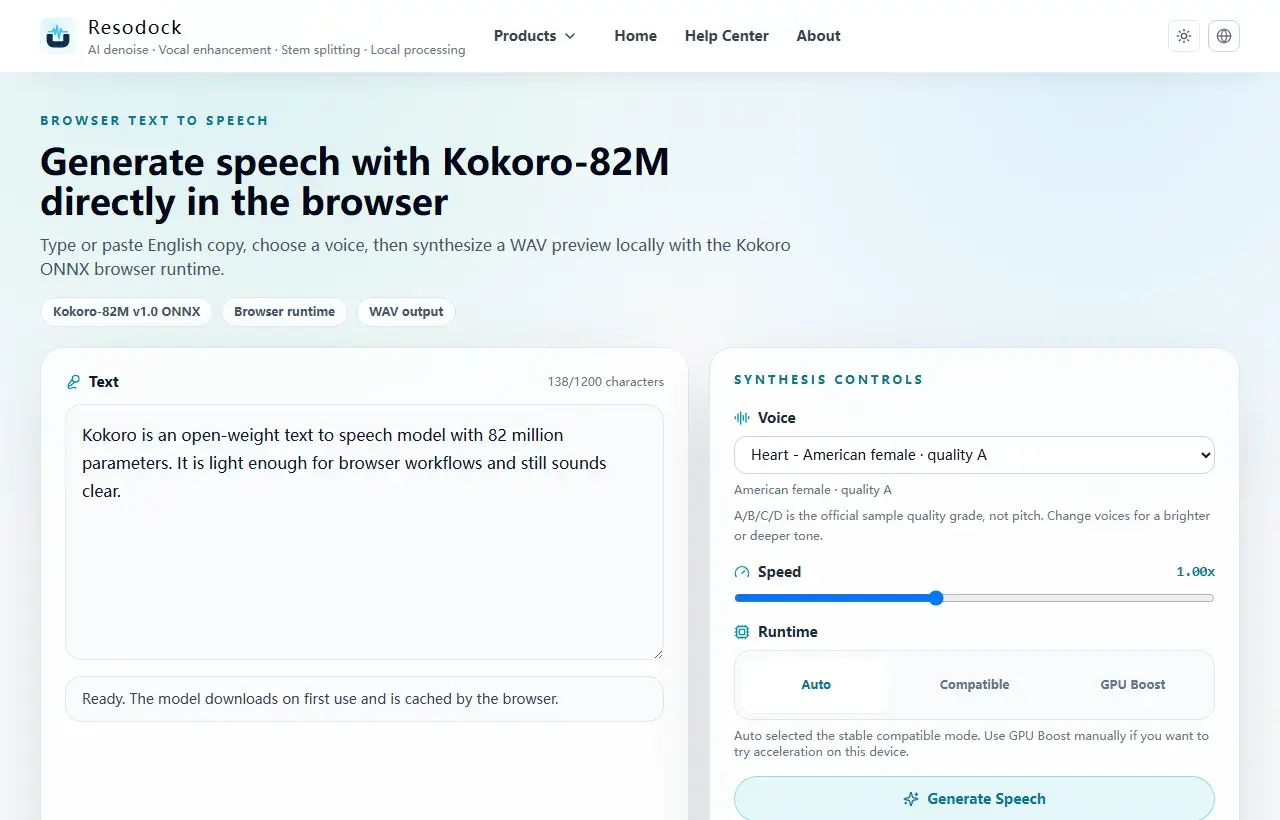
Open the Kokoro-82M browser text-to-speech workstation
Try Kokoro-82M locally in the browser, choose a voice, preview generated speech, and download a WAV file.
What Kokoro-82M Is
Kokoro-82M is a text-to-speech model with about 82 million parameters. In plain words: you type text, and it creates speech that you can play.
Its appeal is not that it is huge. It is small enough to feel practical. Think of it like a compact recorder: it will not do everything, but it is very handy for quickly hearing an English line, short script, or narration draft.
Generate a preview
Try a short text-to-speech sample first
When the article is about TTS, voices, or narration quality, generate a short sample first. Listen for tone, pauses, and clarity before producing longer audio.
- 1Open the text-to-speech tool.
- 2Enter a short passage.
- 3Choose a voice and generate a preview.
- 4Download the WAV result when it sounds right.
Why It Works Well in the Browser
Browser TTS is easy to understand: open a page, paste text, choose a voice, and listen. For everyday users, that is much simpler than installing software or signing up for a heavy service.
Privacy is another reason. Scripts, course notes, internal copy, and narration drafts are sometimes things you do not want to upload to a random platform. Local browser generation can make that feel safer.
What Kokoro Voices Are Good For
Kokoro includes different voices, often called Kokoro voices. You can think of them like different readers: some sound brighter, some steadier, and some fit short explanations better.
It is best for short English text, narration drafts, product copy, and quick previews. For long audiobooks, many languages, or strong emotional performance, listen to a few samples first before deciding.
Summary: Try a Short Sample First
If you only need to turn a few lines into speech, Kokoro-82M is a good first model to try. It is light, quick to understand, and well suited to browser text to speech.
When choosing a TTS tool, do not start with model size. Start with the sound: is it clear, natural, fast enough, and easy to download? Those details matter most in daily use.
Related Articles
Text to Speech
Why Kokoro-82M Online Speech Can Be Slow: Models, Cache, and Progress
Kokoro-82M may download a model on first use, then feel faster later. Knowing what cache and progress mean makes the wait less confusing.
Text to Speech
Free AI Text to Speech Online: How to Choose a Browser TTS Tool
Free TTS is not only about generating audio. Privacy, cache, export format, mobile responsiveness, and repeated previews matter just as much.
Text to Speech
Best Open Source TTS Models: Kokoro, Dia, Index TTS, and Browser Use Cases
Open source TTS models turn text into speech. Kokoro is lighter, while Dia TTS and Index TTS have their own strengths. Focus on sound, speed, language, and ease of use.
FAQ
Is Kokoro-82M a good fit for full audiobooks?
It is a better fit for short scripts, narration previews, prototypes, and local browser previews. Long-form audio needs chunking, queues, and stronger recovery.
Does browser TTS download the model every time?
Usually no. After the first download, the browser can keep the model in cache, so later runs are much faster.
Should WebGPU be enabled by default?
Not unconditionally. A stable default should prefer compatible mode and expose WebGPU as an optional acceleration path.
Can I preview Kokoro voices?
Yes. Use the same short text across different Kokoro voices, then compare clarity, pauses, and speed before generating a longer script.
Can Kokoro-82M stream audio?
The current Resodock Kokoro workflow is built around generating, previewing, and downloading audio. Long text can be split into chunks, but it is not real-time streaming TTS.