Best Open Source TTS Models: Kokoro, Dia, Index TTS, and Browser Use Cases
If you have heard of Kokoro, Dia TTS, and Index TTS but are not sure how they differ, this guide explains open source TTS models in simple language.
Browser Text To Speech
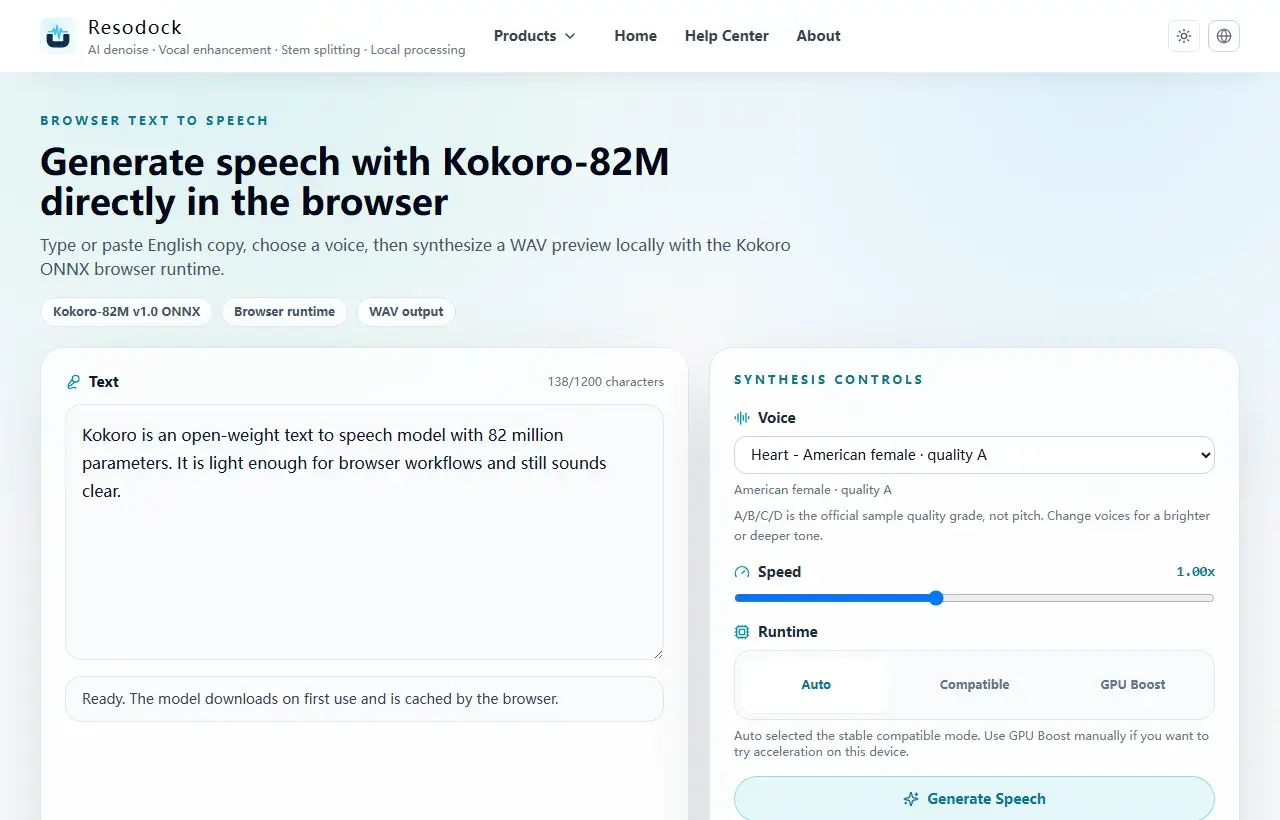
Open the Kokoro-82M browser text-to-speech workstation
Try Kokoro-82M locally in the browser, choose a voice, preview generated speech, and download a WAV file.
What Open Source TTS Models Are
TTS means text to speech. An open source TTS model is a voice model that can be openly used or inspected. You enter text, and it creates spoken audio.
Many people search for open source TTS, best TTS, or tts model not because they want a research paper, but because they want to know: does it sound natural, is it fast, can I try it for free, and does it work in the browser?
Generate a preview
Try a short text-to-speech sample first
When the article is about TTS, voices, or narration quality, generate a short sample first. Listen for tone, pauses, and clarity before producing longer audio.
- 1Open the text-to-speech tool.
- 2Enter a short passage.
- 3Choose a voice and generate a preview.
- 4Download the WAV result when it sounds right.
Kokoro Is Strong Because It Is Light
The main appeal of Kokoro-82M is that it is small. It is not a huge cloud voice system. It is a relatively lightweight open source TTS model, which makes short text previews easier to try in the browser.
Kokoro works well for English short text, narration drafts, product copy, and quick previews such as free text to speech ai or online text to speech. It also has Kokoro voices for different voice styles, though long content, many languages, and emotional delivery still need careful listening.
How to Think About Dia TTS and Index TTS
Dia TTS, Index TTS, XTTS, Piper, and Kokoro are often compared because they all create speech from text. Some focus more on natural conversation, some on multilingual output, and some on longer audio.
Ordinary users do not need to memorize every technical detail. Use the same paragraph and listen: does the voice sound natural, are pauses comfortable, are numbers and English letters read correctly, and is the waiting time acceptable?
Summary: Choose the One That Feels Easy to Listen To
If you only want to turn a short text into speech, Kokoro is a good first model to try. It is light, fast enough for previews, and fits browser-based listening well.
The best TTS is not always the largest model. It is the one that fits your current need: clear voice, natural rhythm, enough speed, useful voices, and a download format you can actually use.
Related Articles
Text to Speech
What Is Kokoro-82M? Why It Fits Browser Text to Speech
Kokoro-82M is not a giant cloud voice system. It is a smaller open speech model that fits short text previews, English narration, and browser-based local generation.
Text to Speech
Why Kokoro-82M Online Speech Can Be Slow: Models, Cache, and Progress
Kokoro-82M may download a model on first use, then feel faster later. Knowing what cache and progress mean makes the wait less confusing.
Text to Speech
Free AI Text to Speech Online: How to Choose a Browser TTS Tool
Free TTS is not only about generating audio. Privacy, cache, export format, mobile responsiveness, and repeated previews matter just as much.
FAQ
Does best TTS mean the largest model?
No. The best model is the one that sounds clear, feels natural, and works well for your text.
Should I try every Kokoro voice?
You can, but start with a few voices and compare the same sentence. The most natural voice for one text may not be best for another.
Is open source TTS always cheaper?
Not always. A model may be free to try, but you still need to consider sound quality, waiting time, usage limits, and license terms.