Why Local Audio Processing Is Becoming The Default
Learn why local processing improves privacy, speed, and predictability, and how to choose tools with confidence.
Browser Audio Workstation
Open the privacy-first browser audio workstation
Process audio in the browser and keep the original file off the Resodock server, which is useful for meetings, interviews, and private recordings.
Why local processing matters
Privacy boundaries are clearer when files stay on device. This reduces exposure risk for sensitive recordings.
Performance is also more predictable because you avoid remote queues and unstable upload conditions.
Back to the workstation
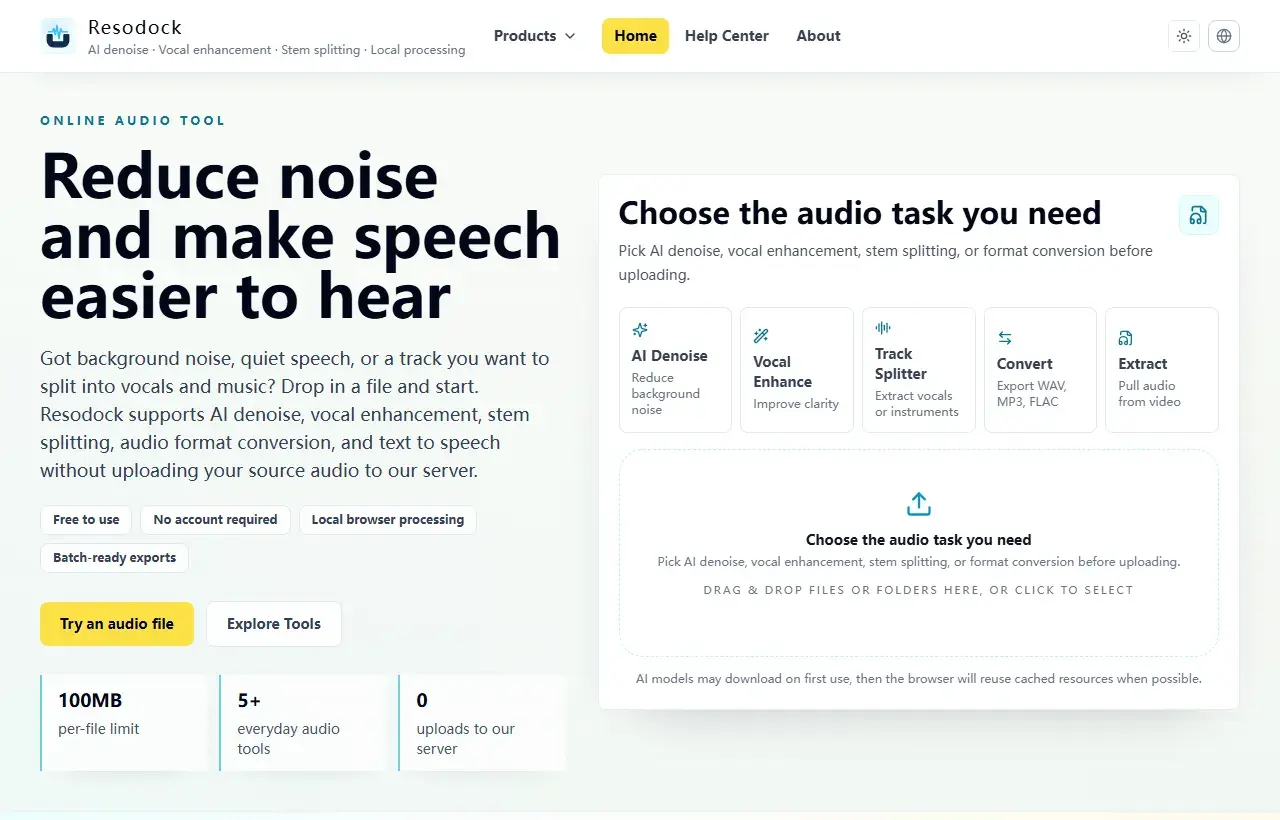
Choose a task, then upload the file
When an article mentions several workflows, the main workstation is the easiest place to start. Pick a task, upload the file, then preview and download the result.
- 1Open the Resodock workstation.
- 2Choose AI denoise, voice enhancement, stem separation, or format conversion.
- 3Upload the file and start processing.
- 4Preview the result and download it when ready.
How to verify local-first behavior
Look for explicit statements that raw audio is not uploaded during processing, and check whether export requires cloud round trips.
For sensitive workflows, run a small network-audit test with sample files before using real client material.
Summary
For privacy-sensitive audio work, the key question is whether the raw file leaves your device and whether storage, deletion, and network behavior are clear.
For meetings, interviews, client material, or personal recordings, prefer browser-local processing and test the flow with a sample file first.
Related Articles
Privacy & Safety
Are Online Audio Converters Safe? 6 Checks Before You Use One
The key issue is not just SSL. It is whether your raw audio is uploaded, retained, and reused.
Privacy & Safety
How To Choose Privacy-First Browser Audio Editors
You do not need a brand list first. You need a repeatable evaluation checklist.
Privacy & Safety
What WebAssembly Changes In Modern Audio Tools
You do not need low-level engineering details to evaluate whether a browser audio tool is production-ready.
FAQ
Does local processing always mean fully offline?
Not always. Many tools are online pages with local compute. The key question is whether raw audio leaves your device during processing.
Is local processing slower?
It depends on device performance, but it often feels faster overall because upload delay is removed.