How to Detect AI Voice Cloning in a Recording
AI voice cloning is growing fast in search interest. Learn the warning signs, detector workflow, and verification steps for voice clone and deepfake audio checks.
Local AI Voice Detector
Open the browser AI voice detector
Check a voice recording locally with an ONNX detector, review AI likelihood, confidence, and segment-level risk without uploading the audio.
Why voice cloning is hard to spot
Modern voice cloning can preserve rhythm, tone, and pronunciation well enough to pass a quick listen. The weak points often appear in breath, transitions, background consistency, or unnatural smoothness.
That is why a detector should be used as part of a workflow. It can highlight suspicious probability patterns, but context still matters.
Check it
Use AI voice detection as a signal
When the article is about AI voices, synthetic traces, or audio trust, run a detector check and review the score plus segment timeline. Treat it as a signal, not a final verdict.
- 1Open the AI voice detector.
- 2Upload a clear speech sample.
- 3Run the check and wait for the result.
- 4Review likelihood, confidence, and segment-level signals together.
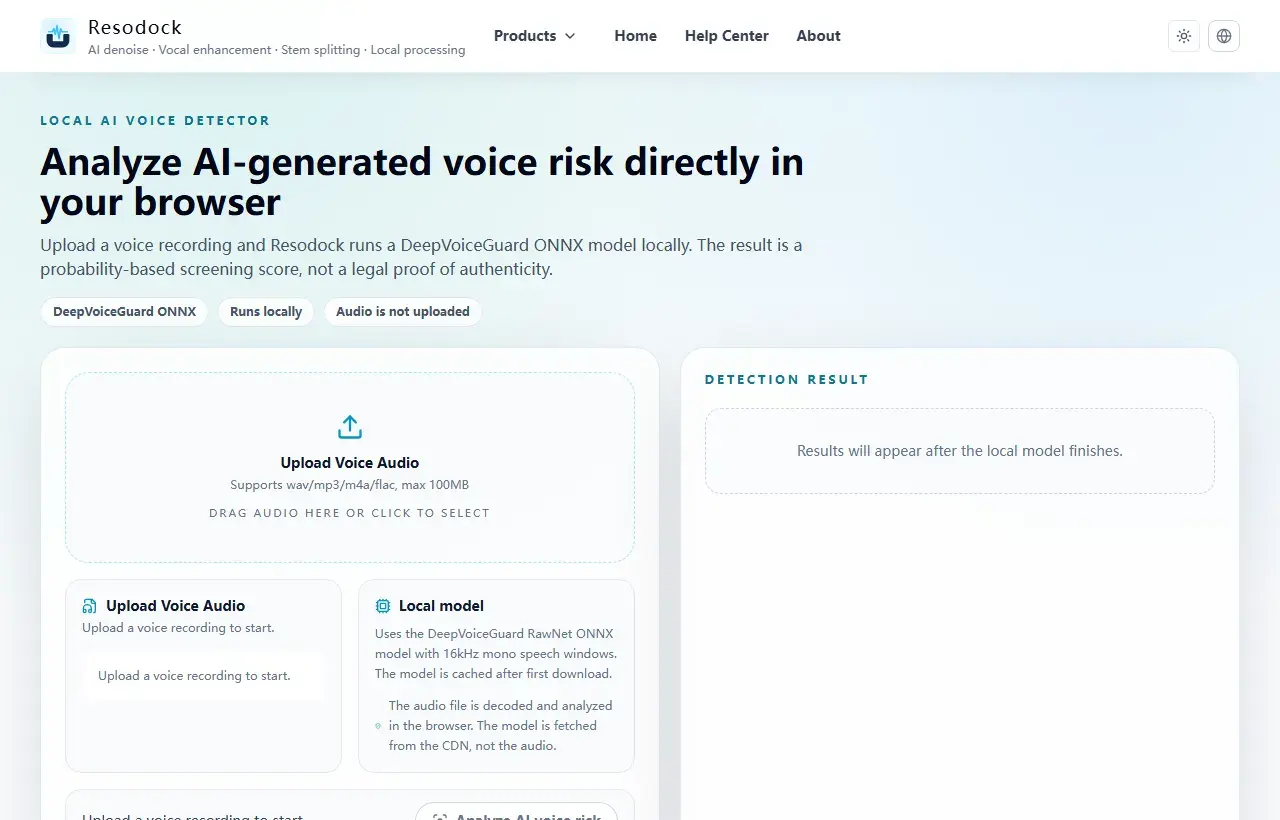
Check the recording before running a detector
Ask where the file came from, whether it was forwarded, and whether a higher-quality original exists. Compare the claim around the recording with the speaker's known behavior or public schedule.
If the file includes long silence, loud music, or several speakers, trim a clear speech section first. A focused voice sample gives the detector a fairer signal.
Use AI voice detection as a second opinion
Run the cleanest sample through Resodock and review the AI likelihood, confidence, and highest-risk segments. A high score across many speech windows is more meaningful than one isolated spike.
If the detector is uncertain, avoid treating the result as a verdict. Try another sample, check the original source, and document what you compared.
What to do after a suspicious result
For scams, impersonation, school, journalism, or workplace cases, preserve the original file and conversation history before editing anything.
Then combine detector output with provenance, metadata, independent confirmation from the speaker, and human listening. That layered approach is slower, but it is much safer than trusting a single score.
Summary
AI voice detection is best used as an early signal, not legal proof. Read the score together with confidence, segment timing, and source history.
Compression, editing, and background music can raise error risk. For important decisions, keep the original file and combine the result with human review.
Related Articles
AI Voice Detection
AI Voice Detector Online: How to Check if a Voice Is AI-Generated
Use this workflow when you need to check a voice note, interview clip, or social audio file for possible AI generation.
AI Voice Detection
AI Audio Detector vs AI Voice Detector: What’s the Difference?
Not every AI audio detector is built for the same job. Voice detection, music detection, and general content detection need different signals.
AI Voice Detection
AI Voice Detector for YouTube Video: How to Check Suspicious Narration
Use this guide when a YouTube narrator sounds synthetic and you want a careful way to check the speech instead of guessing by ear.
FAQ
Is AI voice cloning the same as a deepfake voice?
They overlap. Voice cloning imitates a person's voice; deepfake voice is a broader term for synthetic or manipulated speech used to appear real.
What is the strongest sign of a voice clone?
There is no single reliable sign. A pattern across detector score, odd transitions, source history, and context is stronger than one artifact.
Should I edit the file before checking it?
Avoid destructive edits. If needed, trim a copy to a clear speech section while keeping the original file unchanged.