AI Voice Detector for YouTube Video: How to Check Suspicious Narration
A practical workflow for checking whether narration from a YouTube video may be AI-generated, using a clean speech clip, local audio extraction, and probability-based review.
Local AI Voice Detector
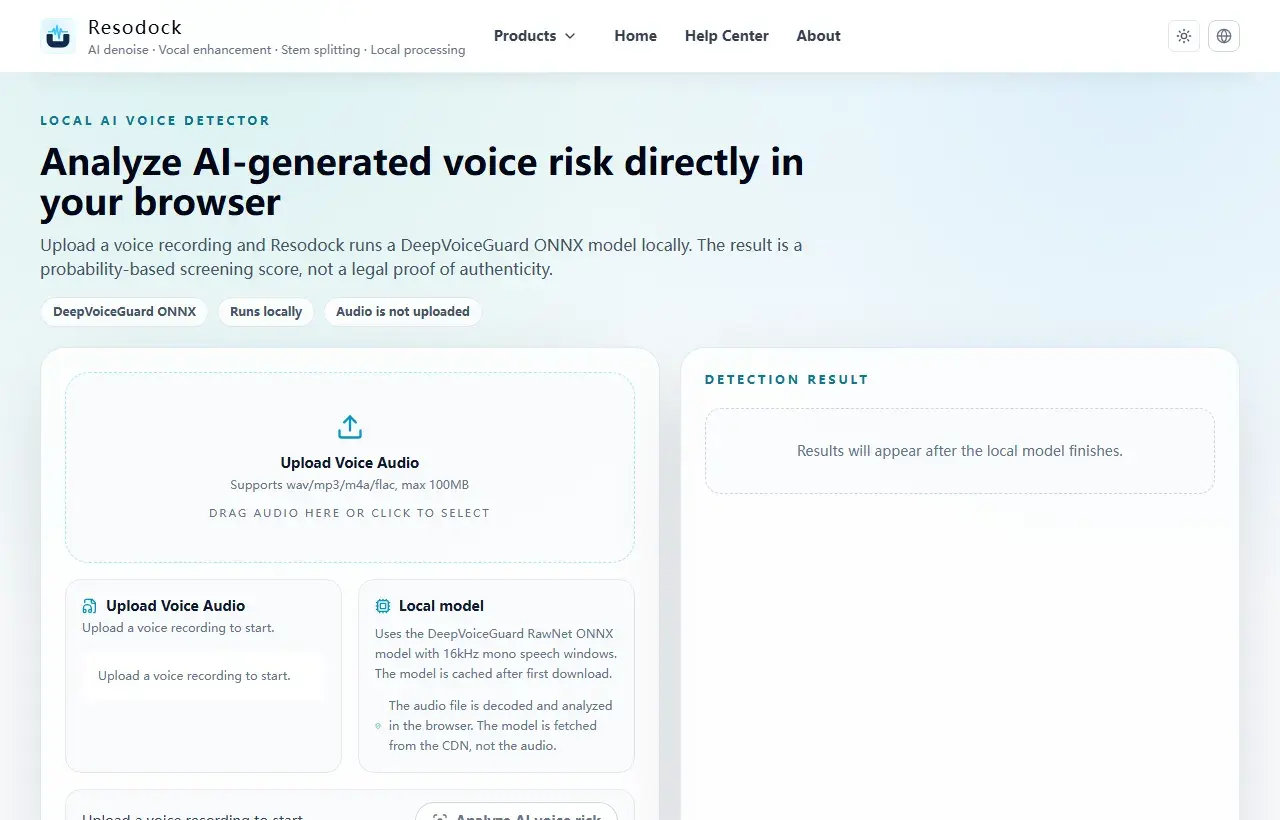
Open the browser AI voice detector
Check a voice recording locally with an ONNX detector, review AI likelihood, confidence, and segment-level risk without uploading the audio.
What an AI voice detector can check in a YouTube video
An AI voice detector does not inspect the whole YouTube page. It checks a speech sample. If a video's narrator sounds too smooth, too even, or oddly edited, the useful step is to isolate a clear spoken section and test that audio.
This is best for narration, voiceovers, interviews, and spoken clips. It is not a music detector, a copyright checker, or proof of who the speaker is.
Check it
Use AI voice detection as a signal
When the article is about AI voices, synthetic traces, or audio trust, run a detector check and review the score plus segment timeline. Treat it as a signal, not a final verdict.
- 1Open the AI voice detector.
- 2Upload a clear speech sample.
- 3Run the check and wait for the result.
- 4Review likelihood, confidence, and segment-level signals together.
Start with a clean speech clip
Choose 20 to 60 seconds where one person is speaking clearly. Avoid intros with music, loud effects, applause, and parts where two people talk at the same time.
If you have permission to use the file, save the video or audio locally. You can use Resodock's audio extractor to pull the speech track from a video file, then test the cleaner clip in the voice detector.
How to use an AI voice detector for YouTube video audio
Open the AI voice detector, upload the short audio clip, and run the local check in the browser. Review the overall AI likelihood, confidence, and the segment timeline together.
If the highest-risk segments match noisy edits, music beds, or compressed moments, do not treat the score as final. Try another clear speech section before making a call.
What can make the result unreliable
YouTube audio is often compressed. Creators may also denoise, pitch-correct, dub, translate, or heavily edit voices. Those steps can make real speech look more synthetic, or make synthetic speech harder to catch.
Short clips, background music, strong room echo, speaker playback, and reused social clips can all reduce confidence. For important decisions, combine the detector result with channel history, upload context, disclosures, comments, and manual review.
Summary
The safest way to check a suspicious YouTube voice is to test a clear spoken section, not the whole video page. A detector can give a useful probability signal, but it cannot prove identity or intent.
Start with a short clip, avoid music-heavy sections, compare segment results, and keep human review in the loop before you share or accuse anyone.
Related Articles
AI Voice Detection
AI Voice Detector Online: How to Check if a Voice Is AI-Generated
Use this workflow when you need to check a voice note, interview clip, or social audio file for possible AI generation.
AI Voice Detection
How to Detect AI Voice Cloning in a Recording
A voice clone can sound natural. Use detector results together with context, metadata, and a clean sample before you trust or reject a recording.
AI Voice Detection
AI Audio Detector vs AI Voice Detector: What’s the Difference?
Not every AI audio detector is built for the same job. Voice detection, music detection, and general content detection need different signals.
FAQ
Can I paste a YouTube link into Resodock's AI voice detector?
No. Use a local audio or video file that you have permission to check. Extract a clear speech clip first, then upload that clip to the detector.
Can an AI voice detector prove a YouTube narrator is fake?
No. It gives a probability score. Use it with the video context, creator disclosures, file history, and human review.
How long should the clip be?
A clear 20 to 60 second speech clip is usually more useful than a very short intro or a music-heavy section.
Should I test music or the spoken voice?
Test the spoken voice. Resodock's detector is designed for speech, not full songs, instrumentals, or AI music detection.