AI Voice Detector Online: How to Check if a Voice Is AI-Generated
A practical guide to using an AI voice detector, reading probability scores, and avoiding common mistakes when checking suspicious voice recordings.
Local AI Voice Detector
Open the browser AI voice detector
Check a voice recording locally with an ONNX detector, review AI likelihood, confidence, and segment-level risk without uploading the audio.
What an AI voice detector actually checks
An AI voice detector looks for acoustic patterns that are common in synthetic speech, cloned voices, or generated narration. It does not prove identity and it does not replace source verification.
Resodock runs the voice check locally in the browser and returns an AI likelihood score, confidence, and a segment timeline. Treat the result as a screening signal, especially when the recording was compressed, edited, or mixed with music.
Check it
Use AI voice detection as a signal
When the article is about AI voices, synthetic traces, or audio trust, run a detector check and review the score plus segment timeline. Treat it as a signal, not a final verdict.
- 1Open the AI voice detector.
- 2Upload a clear speech sample.
- 3Run the check and wait for the result.
- 4Review likelihood, confidence, and segment-level signals together.
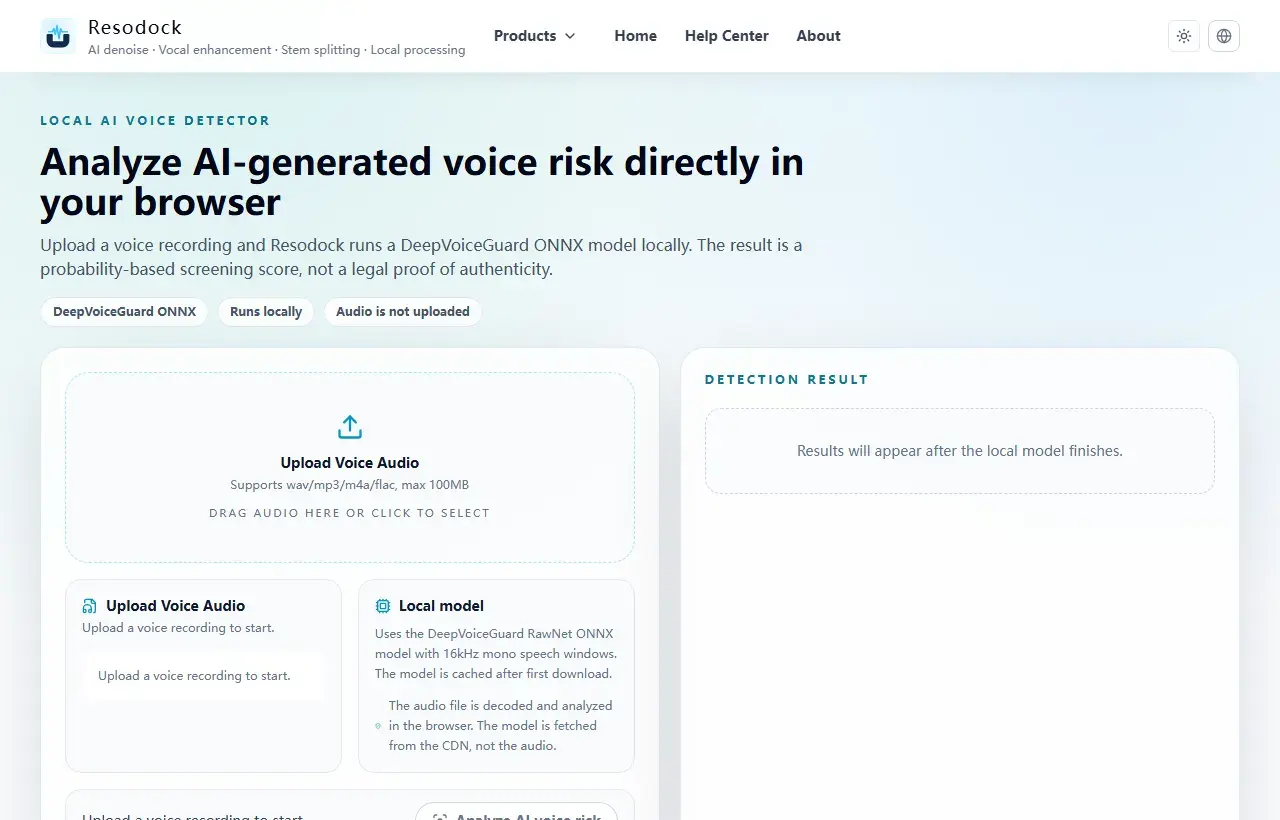
A simple workflow for checking a suspicious voice file
Start with the cleanest version of the recording you can get. A short, noisy, forwarded clip is harder to judge than an original WAV, M4A, MP3, or FLAC file with clear speech.
Upload the file, run the detector, then compare the overall score with the strongest segments. If only one short moment looks suspicious, listen to that part again before making a decision.
How to read probability, confidence, and segments
The AI likelihood score answers one question: how much the model thinks the voice resembles AI-generated speech. Confidence describes how stable that estimate is for the usable speech in the file.
The segment timeline is often the most useful part. It helps you spot whether the whole recording has a synthetic pattern or only a few moments were affected by compression, noise, or editing.
When the detector result is not enough
For important decisions, combine the score with file history, metadata, message context, and human review. A detector can warn you, but it should not be the only evidence.
If the audio is very short, heavily denoised, full of background music, or recorded through a speaker, repeat the check with a cleaner sample before trusting the result.
Summary
AI voice detection is best used as an early signal, not legal proof. Read the score together with confidence, segment timing, and source history.
Compression, editing, and background music can raise error risk. For important decisions, keep the original file and combine the result with human review.
Related Articles
AI Voice Detection
How to Detect AI Voice Cloning in a Recording
A voice clone can sound natural. Use detector results together with context, metadata, and a clean sample before you trust or reject a recording.
AI Voice Detection
AI Audio Detector vs AI Voice Detector: What’s the Difference?
Not every AI audio detector is built for the same job. Voice detection, music detection, and general content detection need different signals.
AI Voice Detection
AI Voice Detector for YouTube Video: How to Check Suspicious Narration
Use this guide when a YouTube narrator sounds synthetic and you want a careful way to check the speech instead of guessing by ear.
FAQ
Can an AI voice detector prove a voice is fake?
No. It gives a probability-based screening score. Use it with source history, metadata, and human review for important cases.
What audio should I upload?
Use the clearest available recording with real speech. Very short clips, loud music, heavy compression, or speaker re-recordings reduce reliability.
Is my audio uploaded to Resodock?
No. The AI voice detection runs locally in the browser; the model is downloaded, but the audio file is not uploaded for analysis.